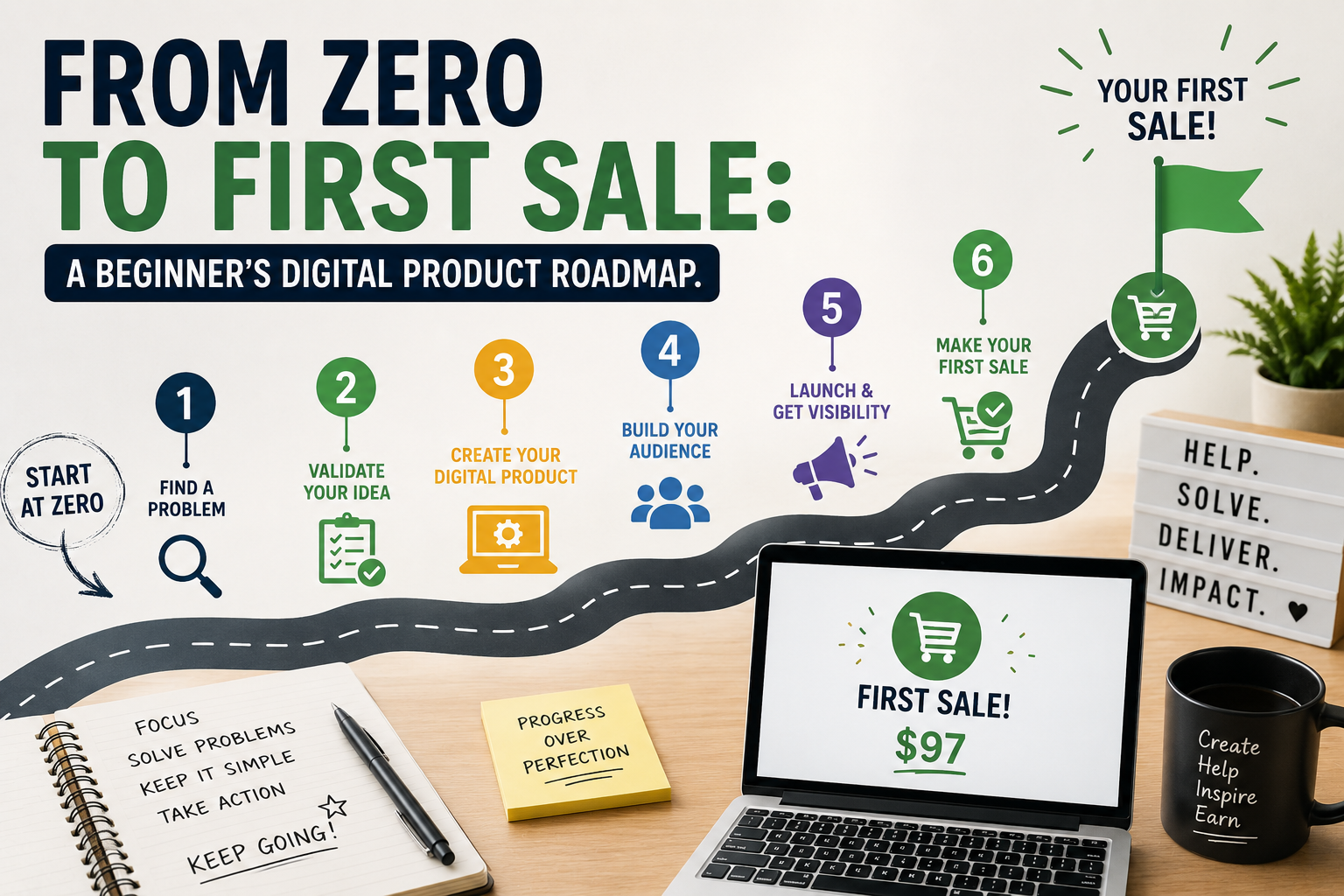
I still remember staring at a blank laptop screen, wondering how people were actually making money with digital products. I had ideas, I had motivation, but I did not have a plan. If that sounds like you, take a breath. You do not need to be a tech genius, a designer, or an expert to get your first sale. You just need a simple beginner digital product roadmap, a little consistency, and the right AI tools to help you move faster.
What a digital product and Digital Product Roadmap really is
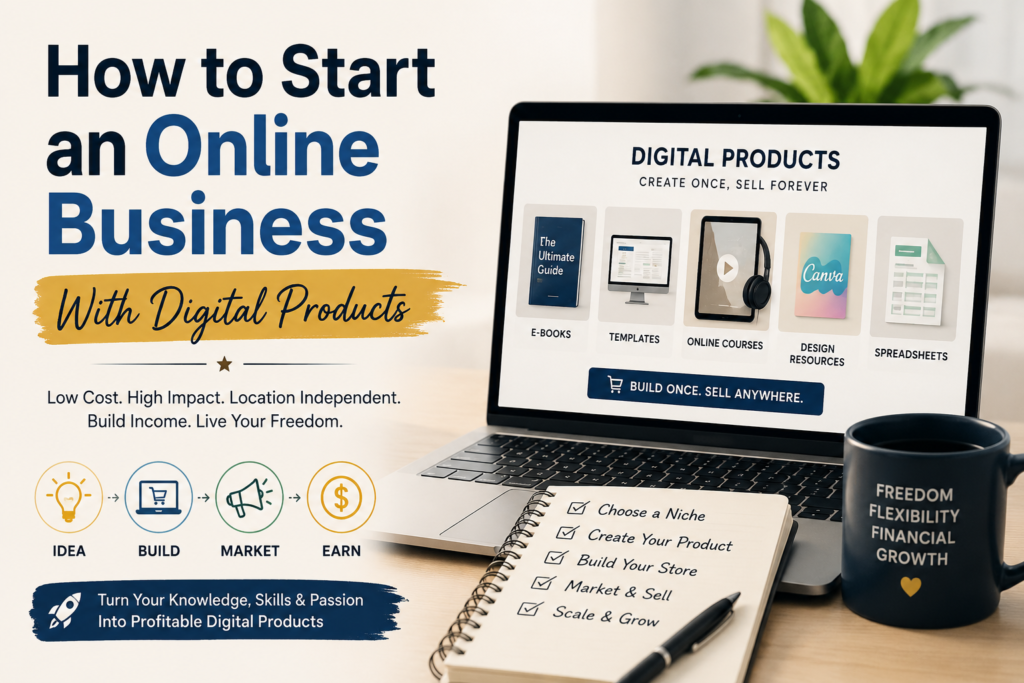
A digital product is something people can buy, download, and use right away. Think ebooks, templates, planners, checklists, printables, prompt packs, or mini courses. The beautiful part is that you create it once, and then you can sell it again and again. That is why so many beginners love this model. It is simple to start, flexible, and a great way to learn how to sell online. A digital product roadmap, actually shows you step by step on how to get your products up and
Step 1: Start with one real problem for your digital product road map
The fastest way to your first sale is not trying to make everything. It is solving one clear problem for one clear person. Ask yourself:
- What do people keep asking me for help with?
- Are there tasks that feel hard, confusing, or time-consuming?
- What can I make that saves time, reduces stress, or gives clarity?
For example, if people ask you how to organize their week, a simple planner or routine tracker could work. If they want help writing social posts, a content calendar template may be the answer. If they need faith-based encouragement, scripture-based printables or journals could be a beautiful fit.
Step 2: Use AI to brainstorm and build faster
This is where the AI part becomes powerful. You do not have to stare at a blank page for hours. You can use AI tools to brainstorm ideas, outline your product, write copy, and even create polished drafts faster.
Here are a few helpful tools:
- ChatGPT by OpenAI for brainstorming, writing, and organizing ideas.
- Canva for designing ebooks, planners, worksheets, and product mockups.
- Google Trends to see what people are searching for.
- Etsy Seller Handbook for learning how product listings work.
- Payhip for a simple digital product storefront.
My advice? Let AI help with the first draft, then add your own voice and wisdom. People do not buy perfect. They buy helpful.
OTHER RELEVANT BLOG POST

Step 3: Pick one simple product to create first
When you are new, keep it small. A tiny product is easier to finish, easier to improve, and easier to sell. Here are beginner-friendly ideas:
- A one-page checklist
- A simple planner or tracker
- A mini ebook or guide
- A prompt pack
- A printable worksheet
- A content template bundle
If you are unsure what to create, choose the format that matches your strength. If you like writing, make a guide. And if you like organizing, make a planner. If you like designing, make a template.
Step 4: Make it useful, not perfect
This is one of the biggest lessons I have learned. Beginners often stay stuck because they think the product must look amazing before anyone sees it. But your first version only needs to be clear, useful, and easy to use.
- Keep the layout clean.
- Use simple language.
- Show people exactly what to do next.
- Make the result obvious.
A good digital product does not confuse people. It helps them move forward.
Step 5: Set up a simple place to sell it
You do not need a complicated website to begin. You need one clear place where people can buy. If you already have a shop, use it. If you are building from scratch, start with a simple storefront and one product.
You can also look at how I organize my own shop here: homepage and digital products. Sometimes seeing a real example makes the next step feel much easier.
Step 6: Write a listing that helps people say yes
Your product listing should answer three things quickly:
- What is it?
- Who is it for?
- What result does it help with?
Keep your title simple and clear. Add a short description that explains the benefits. Show a mockup or preview image. Then tell people exactly what they get after they buy. A calm, clear listing sells better than a long, confusing one.
Step 7: Get your first sale with small, honest marketing
You do not need to go viral to make your first sale. You just need to get your product in front of the right people. Try these simple ideas:
- Post a helpful tip on Instagram, Facebook, or TikTok.
- Share your product in a niche group, if the group rules allow it.
- Create a Pinterest pin that points to your listing.
- Send a short email to your audience if you have one.
- Ask one person to give you feedback and share the product with a friend.
When you are starting from zero, small traffic is enough. One person buying proves your idea works. Then you can improve the product and keep going.
Tips that make the journey easier
- Focus on one product until it is live.
- Use AI for speed, but always edit with your own voice.
- Sell a solution, not just a file.
- Keep learning as you go.
- Do not wait for confidence. Build it by publishing.
If you want to keep growing, treat your first sale like a milestone, not the finish line. It is proof that people want what you made. That is a big deal.
My simple first-sale formula for your digital product roadmap
Here is the short version of this beginner digital product roadmap:
- Pick one problem.
- Use AI to brainstorm and draft.
- Create one simple product.
- Package it clearly.
- Upload it to a shop.
- Share it with real people.
- Improve it after the first sale.
That is it. Not fancy. Not overwhelming. Just a real path you can follow.
Conclusion: your first sale can happen sooner than you think
If you are new, please remember this: you do not need to know everything before you begin. You only need one idea, one simple product, and one action step. Pick something small today, use AI to help you move faster, and get it in front of people. Your first sale is often much closer than it feels.
And if you want to keep learning how to create and sell digital products, stay consistent, keep improving, and give yourself permission to start messy. Every successful seller once had a first draft, a first upload, and a first sale. Yours can be next.
FAQ
Q: What digital product should a beginner make first?
A: Start with the simplest product that solves one small problem. A checklist, planner, worksheet, or mini guide is a great first choice.
Q: Can I use AI to create digital products?
A: Yes. AI can help you brainstorm, outline, write, and design faster. Just make sure you review and personalize everything before selling.
Q: Do I need a big audience to make my first sale?
A: No. Many first sales come from a small audience, a niche group, or even one well-placed social post.
Q: Where can I sell digital products?
A: You can sell on your own website, on platforms like Payhip or Etsy, or through a simple storefront on your brand site.
Q: How long does it take to make a first sale?
A: It depends on your niche, offer, and promotion, but a simple product can be created and launched quickly if you keep it focused.